These are implementations on Lumin’s own website: an assistant that helps a visitor explore a need, and the contact workflow that brings an approved request to our team. Each has a defined job and a person responsible for what happens next.
01 / Lumin’s own website / AI assistant
Lumi: a useful first answer, with a human next step.
A visitor may know what is slowing their business down without knowing which service to ask for. Lumi gives them a place to explore that question and choose whether to contact the team.
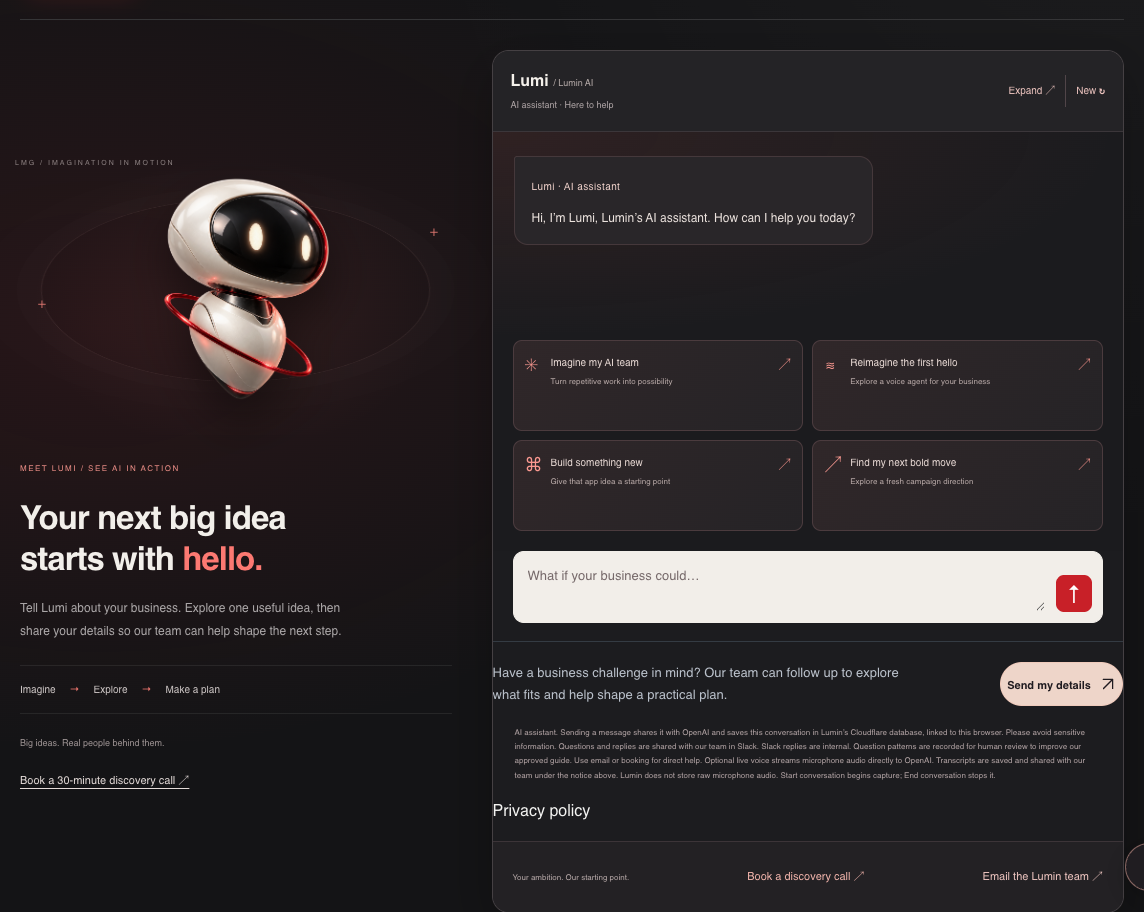
Lumin’s public chat interface, captured 4 October 2026 before sending a message. The welcome is interface copy; this image does not show a generated answer.
Ask in your own words
Visitors can type about their business or choose optional voice. Opening Lumi alone does not activate the microphone.
Use approved information
The assistant draws on a maintained Lumin guide. Its reference layer withholds answers whose review date has expired, and unfamiliar questions can be flagged for human review.
Choose the next step
Send my details opens a contact card. The visitor checks the information and gives permission before submitting it to the team.
Where people stay involved
The team maintains the answer guide and handles project advice, quotes and commitments. Visitor statements do not automatically become approved knowledge. Lumi’s generated answers can still be wrong; direct contact remains available.
Scope and evidence: Built for Lumin’s own website. Text chat, optional voice and a visitor-controlled contact route. This example describes the implementation; measured customer conversion or time savings are not established here.
A contact form needs a clear destination and an honest receipt. We built Lumin’s form to save the approved request, notify the team and distinguish delayed delivery from a completed handoff to the notification channel.
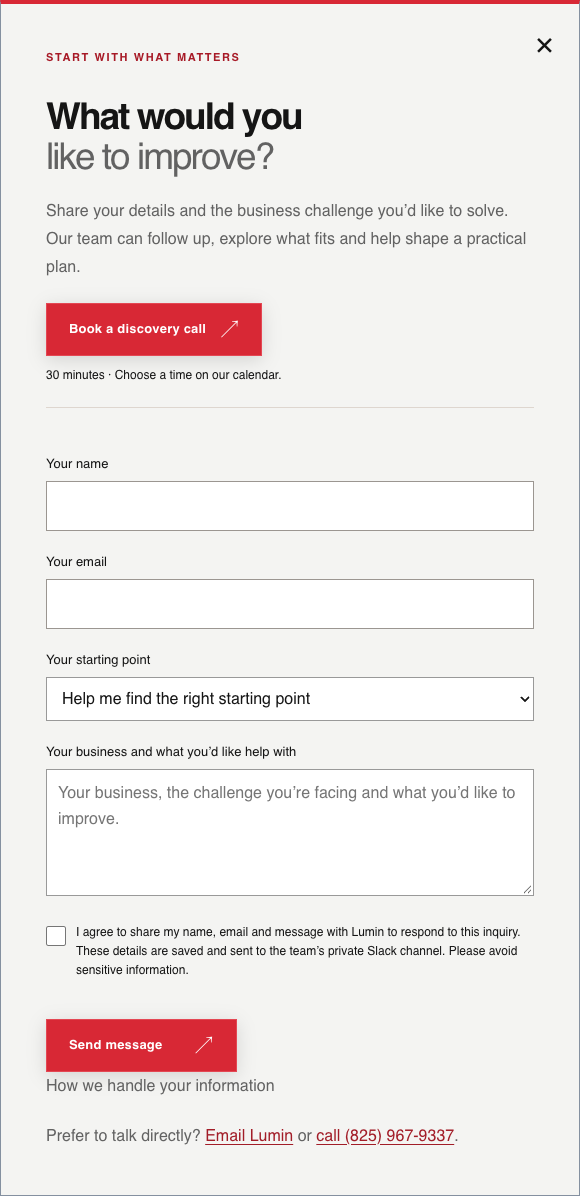
The actual contact form, captured 4 October 2026 before entry or submission. No visitor record or staff conversation is shown.
The visitor approves
A visitor enters or reviews the details and selects the consent checkbox. The direct form can also be used without speaking to Lumi.
The request is saved and routed
The submitted inquiry and its notification are saved together. The notification goes to Lumin’s private Slack leads channel; temporary delivery failures can be retried.
The receipt reports delivery
The form distinguishes sent, queued and failed delivery. A sent receipt means the notification reached Slack; a staff member still needs to review the request and reply.
Where people stay involved
The visitor decides what to share. Lumin’s team reviews the request and replies using the submitted contact details. A reply inside Slack stays internal. The direct contact form does not use AI to write or send a customer response.
Scope and evidence: Built for Lumin’s own website using a contact form, Cloudflare storage and Slack notifications. This example describes the implemented delivery path and its limits. Measured response-time or sales improvements are not established here.
PKTD, Answera and Edmonton Spotlight show different parts of Lumin’s work. Answera is still in development; its card describes that status separately from the implementation examples above.
PKTD™
PKTD
SOFTWARE DEVELOPMENT
We built PKTD, an iPhone app for receipt capture and expense organization, with optional AI to help prepare records for review.
Receipt capture, text recognition, AI-assisted organization, and PDF and CSV exports.
We support Phantom Ave Tattoos with paid advertising and AI integration for business administration, helping the team focus on their creative work.
The work combines support for reaching potential customers with a practical look at the tasks that happen around the appointment.
See the possibilities.
Our process film illustrates how an idea can become an application and connected workflow. It is a visual demonstration, rather than a client-results case study.

 PKTD™
PKTD™